
TickNTick application provides feature to change the price style of a chart. Various price styles available are: Candle stick, Heikin Ashi, Point And Figure, Renko and Kagi. Default price style is set to candle stick.
To change a price style of a chart:
1. Go to ‘View’ menu
2. Select submenu ‘Price Style’
3. It contains list of various price styles available.
4. Default price style is set to ‘Candle Stick’
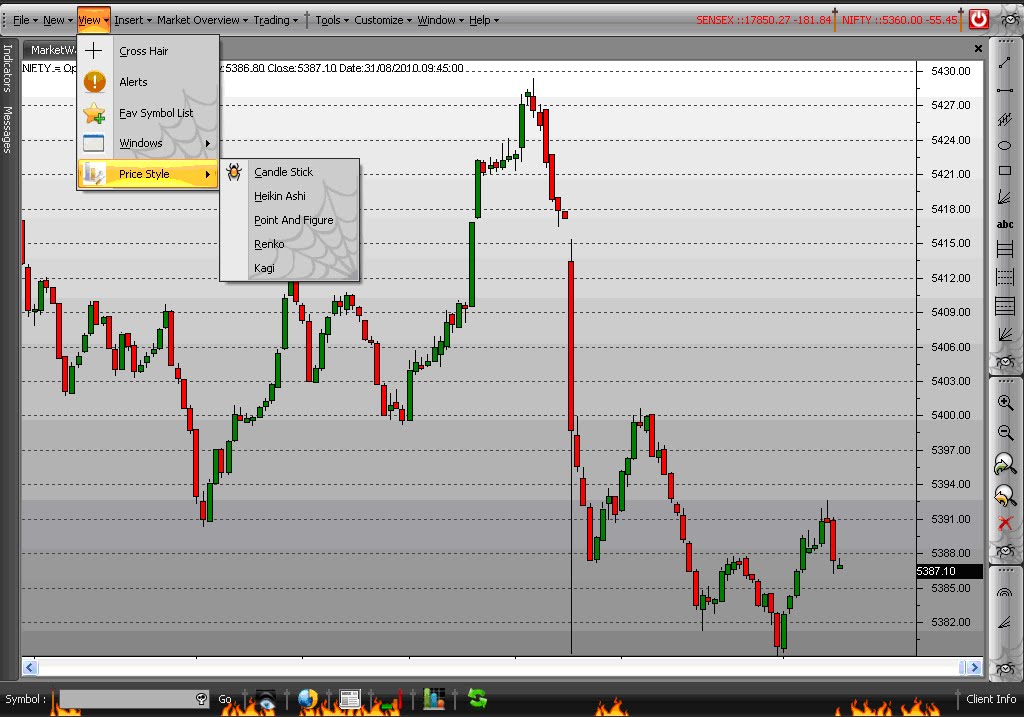
Image.1
Price style: Heikin Ashi

Image.2
Price style: Point And Figure

Image.3
Price Style: Renko

Image.4
Price Style: Kagi

Image.5
