Showing posts with label Free EOD charts. Show all posts

Wednesday, September 1, 2010

Free Customizable Themes

TickNTick application provides you feature to personalize the application with multiple themes options. You can select any theme of your choice from 34 distinct theme options.

To customize the application by changing theme.
1. Go to menu ‘Customize’
2. Select submenu ‘Themes’
3. This submenu provides list of 34 different themes .You can select any by just clicking on it.


Image.1

For example: Blue Theme will be seen as shown in Image.2 below.


Image.2

Valentine Theme:
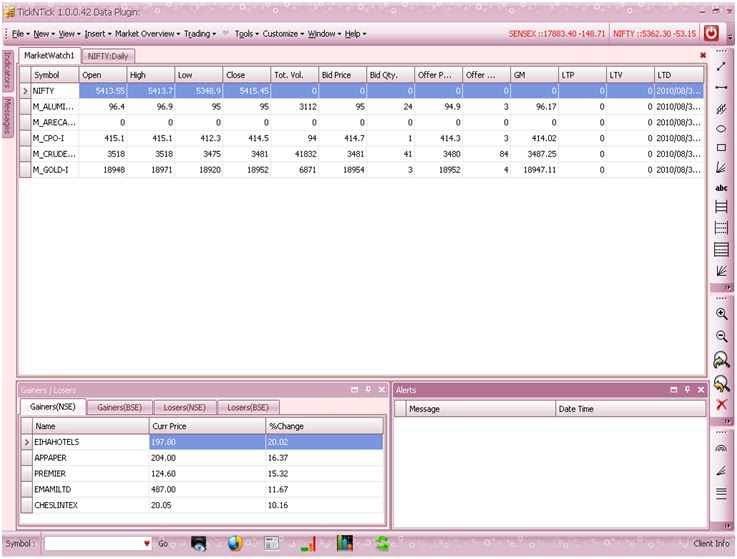


Image.3

EOD Charts

TickNTick application provides you with the feature to view EOD Charts for the symbols present in Market Watch window.

To view EOD Chart of a selected symbol, use can use one of the three options shown below.

1. Go to ‘New’ menu and select option ‘EOD Chart’ as shown in image.1 below.


Image.1


2. Click right mouse button on the selected symbol and select option ‘EOD Chart’ as shown in image.2.


Image.2


3. View RT Chart using EOD Chart Icon on the screen.


Image.3


EOD Chart will be displayed as shown in the image below.


Image.4